campaign
creatives

Top 8 Data Analysis Tools For Marketing Professionals To Prove ROI And Drive Growth
Discover the leading data analysis tools for marketing professionals that transform disconnected metrics into clear insights about campaign performance, customer behavior, and revenue attribution.
Your last campaign generated 10,000 website visits, 500 email signups, and 50 sales calls. Success, right? But here's the question that keeps marketing leaders up at night: which specific touchpoints actually drove those conversions, and where should you invest your next dollar for maximum return?
Modern marketing generates an overwhelming flood of data—Google Analytics pageviews, social engagement metrics, email open rates, ad platform conversions, CRM interactions. The challenge isn't collecting data anymore. It's transforming these disconnected numbers into clear answers about what's working, what's wasting budget, and where your biggest opportunities hide.
The right data analysis tool doesn't just create pretty charts. It connects the dots across your entire marketing ecosystem, revealing which campaigns truly drive revenue, which customer segments deliver the highest lifetime value, and exactly where friction points are killing your conversions. Today's platforms offer predictive insights, automated anomaly detection, cross-channel attribution, and AI-powered recommendations that turn raw data into strategic advantage.
We've evaluated the leading data analysis tools specifically built for marketing professionals. Whether you're proving ROI to executives, optimizing multi-channel campaigns, or uncovering hidden patterns in customer behavior, you'll find a solution that matches your technical expertise and business needs. Here are the top platforms transforming how marketing teams make data-driven decisions.
1. Google Analytics 4
Best for: Comprehensive website and app analytics with advanced cross-platform tracking capabilities
Google Analytics 4 represents Google's complete reimagining of digital analytics for the privacy-first era.
Where This Tool Shines
GA4 excels at tracking complete customer journeys across multiple devices and sessions without relying on cookies. The platform's machine learning capabilities automatically surface insights about trending behaviors, potential revenue opportunities, and unusual patterns in your data that manual analysis might miss.
For marketing professionals managing complex digital ecosystems, GA4's ability to unify data from websites, iOS apps, and Android apps into a single customer view transforms how you understand attribution. You can finally see how a user discovers your brand on mobile, researches on desktop, and converts on tablet—all connected as one journey rather than three disconnected sessions.
Key Features & Capabilities
Event-Based Tracking Architecture: Every user interaction becomes a measurable event, from pageviews and button clicks to video plays and scroll depth, without sampling your data.
Predictive Metrics Powered by AI: Built-in machine learning calculates purchase probability, churn probability, and predicted revenue for user segments, enabling proactive marketing actions.
Cross-Platform Measurement: Unified reporting combines website and app data, showing how users interact with your brand across all digital touchpoints.
Enhanced Measurement: Automatically tracks scrolling, outbound clicks, site search, video engagement, and file downloads without additional code implementation.
Privacy-Focused Design: Consent mode and behavioral modeling maintain measurement accuracy even when users decline cookies, future-proofing your analytics as privacy regulations evolve.
BigQuery Integration: Export raw, unsampled data to Google's data warehouse for unlimited custom analysis and integration with other business intelligence tools.
Flexible Audience Building: Create unlimited custom segments based on any combination of user properties, events, and predicted metrics for remarketing and analysis.
Best For / Ideal Users
GA4 is ideal for marketing teams of all sizes who need enterprise-level analytics capabilities without software costs. It's particularly valuable for businesses with both web and mobile app presence who need to understand the complete customer journey.
The platform works best for marketers willing to invest time in learning a more sophisticated system in exchange for deeper insights. Organizations requiring detailed customer journey analysis, predictive audience building, and cross-device tracking will find GA4's capabilities unmatched at its price point.
If you're comfortable with
2. Tableau
Best for: Creating sophisticated data visualizations and interactive dashboards from multiple marketing data sources
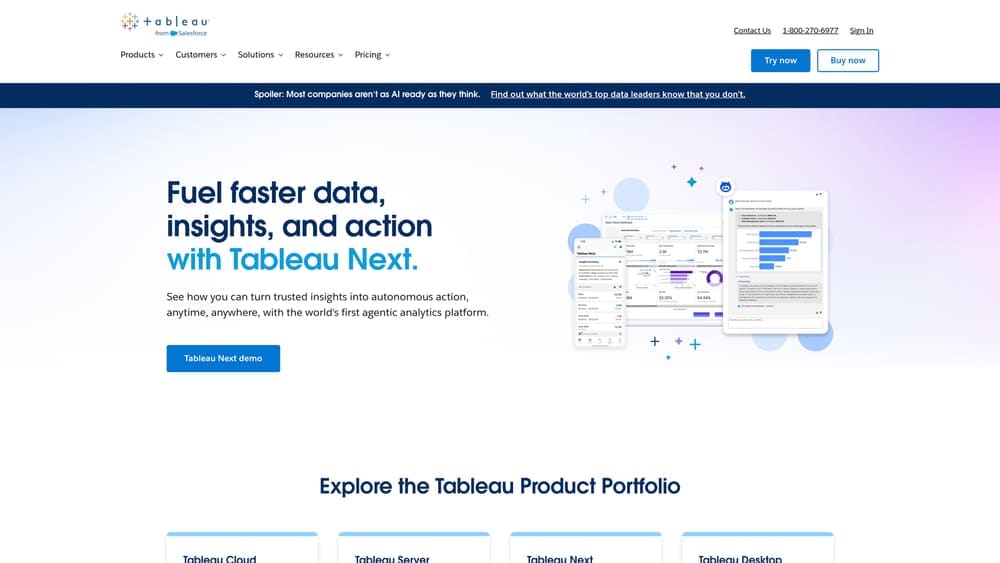
Tableau transforms complex marketing data into visual stories that drive strategic decisions.
Where This Tool Shines
Tableau's drag-and-drop interface makes it surprisingly easy to create publication-quality visualizations without coding knowledge, while still offering advanced analytical capabilities for data experts. The platform connects to virtually any data source—from Google Ads and Facebook Insights to your CRM and email marketing platform—allowing you to build unified marketing dashboards that tell the complete performance story.
What sets Tableau apart is its ability to handle massive datasets while maintaining interactive performance, enabling real-time exploration of your marketing data. Marketing teams use Tableau to identify trends, compare campaign performance across channels, and present compelling data stories to executives and stakeholders who need insights, not just numbers.
Key Features & Capabilities
Native Connectors: Direct connections to 100+ data sources including all major marketing platforms, databases, and cloud services.
Visual Analytics: Drag-and-drop interface that requires no programming or SQL knowledge to create sophisticated visualizations.
Interactive Dashboards: Build dashboards with drill-down capabilities, dynamic filtering, and real-time data exploration.
Advanced Analysis: Statistical analysis including forecasting, clustering, trend analysis, and calculated fields for custom metrics.
Mobile Optimization: Dashboards automatically adapt for monitoring marketing performance on smartphones and tablets.
Collaboration Tools: Share insights, annotate visualizations, and maintain version control across marketing teams.
Tableau Prep: Clean, combine, and shape data from multiple sources before analysis without technical expertise.
Best For / Ideal Users
Tableau is perfect for marketing analysts, marketing operations teams, and agencies managing multiple client accounts who need to create custom visualizations beyond what standard marketing platforms provide. It's especially valuable for organizations with data spread across multiple systems who want unified reporting.
Marketing leaders who need to present data-driven insights to executive teams and boards will find Tableau's presentation-ready dashboards invaluable. The platform works equally well for technical users who want advanced statistical analysis and non-technical marketers who need simple drag-and-drop visualization.
Pricing
Tableau offers three pricing tiers: Tableau Creator at $75 per user/month (includes full authoring capabilities), Tableau Explorer at $42 per user/month (for interactive exploration of existing dashboards), and Tableau Viewer at $15 per user/month (for viewing and filtering dashboards). Annual subscriptions offer discounted rates.
3. HubSpot Marketing Analytics
Best for: All-in-one marketing analytics integrated with CRM data for complete funnel visibility
HubSpot Marketing Analytics provides seamless integration between your marketing activities and customer data, creating a unified view of how campaigns translate into revenue.
Where This Tool Shines
HubSpot's greatest strength lies in its unified ecosystem approach—everything from email campaigns and social media to landing pages and lead generation exists within a single platform connected directly to your CRM. This integration eliminates the frustrating disconnect between marketing metrics and actual business outcomes that plagues most marketing teams.
The platform automatically connects every marketing touchpoint to contacts, deals, and revenue. When a prospect downloads an ebook, attends a webinar, clicks an email, and eventually becomes a customer, HubSpot tracks this entire journey without requiring complex integration work. For marketing teams using HubSpot's broader platform, this native integration provides unprecedented visibility into which specific campaigns, content pieces, and channels actually drive pipeline and closed revenue.
Key Features & Capabilities
Multi-Touch Attribution Reporting: Shows every touchpoint in the customer journey from first interaction to closed deal.
Campaign Analytics: Tracks performance across email, social media, paid ads, and content in unified dashboards.
Traffic Analytics: Provides source tracking and conversion path analysis showing how visitors find and navigate your site.
Revenue Attribution: Connects marketing activities directly to closed deals with dollar amounts attributed to specific campaigns.
Custom Report Builder: Creates tailored dashboards without technical skills using drag-and-drop interface.
Contact and Company Analytics: Shows engagement patterns and lifecycle stages for individual contacts and accounts.
Marketing ROI Calculator: Factors in HubSpot costs and team time to calculate true marketing return on investment.
Best For / Ideal Users
HubSpot Marketing Analytics is ideal for B2B marketing teams and inbound marketing specialists who need to prove how marketing contributes to revenue. It's particularly valuable for organizations with longer sales cycles where multi-touch attribution is critical for understanding the customer journey.
The platform works best for marketing teams already using or planning to adopt HubSpot's CRM or marketing tools, as the analytics capabilities are tightly integrated with these systems. It's also excellent for marketing leaders who need to demonstrate ROI to executives and justify marketing budgets with clear revenue attribution data.
Pricing
HubSpot Marketing Analytics is included in Marketing Hub Professional at $800/month for three users and Marketing Hub Enterprise at $3,600/month for five users. Professional includes standard analytics and attribution reporting
4. Mixpanel
Best for: Product analytics and user behavior tracking for digital products and SaaS marketing
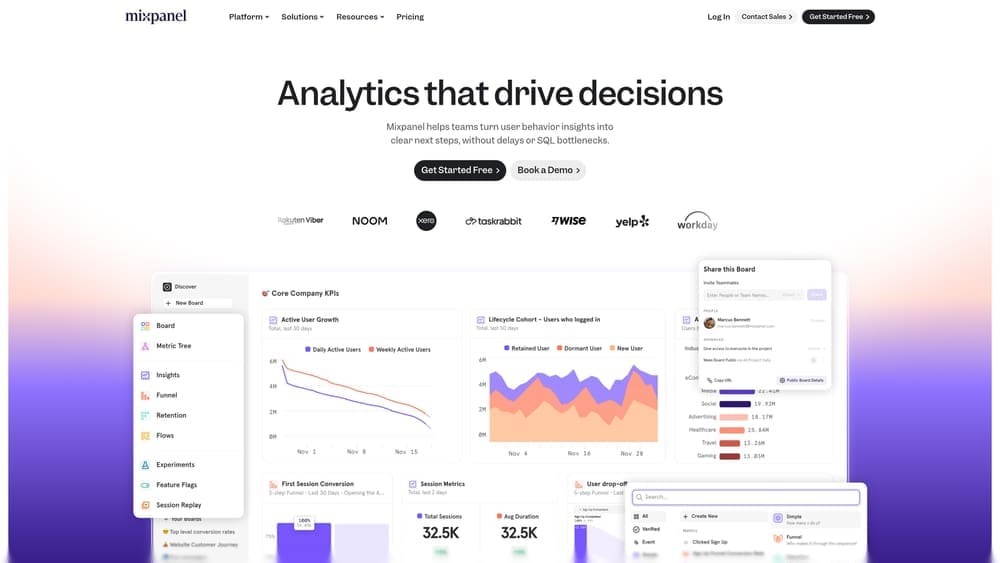
Mixpanel is a product analytics platform that reveals how users actually interact with your digital products, apps, and marketing touchpoints through event-based tracking and behavioral analysis.
Where This Tool Shines
Mixpanel answers the "why" behind user behavior, not just the "what." While traditional analytics show you page views and sessions, Mixpanel tracks specific actions—button clicks, feature usage, form completions, video plays, and any custom event you define. This granular approach is invaluable for marketing professionals promoting digital products or SaaS platforms because it reveals exactly how users engage after your campaigns drive signups.
The platform's cohort analysis capabilities let you compare user groups based on acquisition source, showing whether users from your Facebook ads behave differently than those from organic search. You can track retention curves to see which marketing channels deliver users who stick around versus those who churn quickly. This insight transforms how you allocate marketing budget—you'll know which channels drive not just signups, but engaged, long-term users.
Key Features & Capabilities
Event-Based Tracking: Captures every user action and custom event you define, from micro-interactions to major conversions.
Funnel Analysis: Visualizes conversion rates and drop-off points at each step, showing exactly where users abandon your onboarding or purchase flow.
Cohort Analysis: Compares user groups based on behavior or acquisition source to identify which marketing channels drive the most valuable users.
Retention Reports: Tracks how different marketing channels impact long-term user engagement and lifetime value.
A/B Test Analysis: Measures the impact of experiments on key metrics, helping you optimize both product and marketing strategies.
User Segmentation: Creates unlimited custom segments with behavioral filters to target specific user groups with precision.
Automated Insights: Surfaces significant changes and trends in user behavior without manual analysis.
Best For / Ideal Users
Mixpanel is perfect for growth marketers at SaaS companies who need to understand user behavior beyond basic web analytics. Product marketing teams use it to identify which features drive adoption and retention, informing both product roadmaps and marketing messaging.
Mobile app marketers rely on Mixpanel to track in-app behavior and optimize user activation flows. It's especially valuable for marketing teams focused on user activation, retention, and lifetime value optimization—metrics that matter more than vanity metrics like page views.
The platform works best for organizations where product usage data informs marketing strategy
5. Supermetrics
Best for: Automated marketing data integration and reporting across multiple advertising and analytics platforms
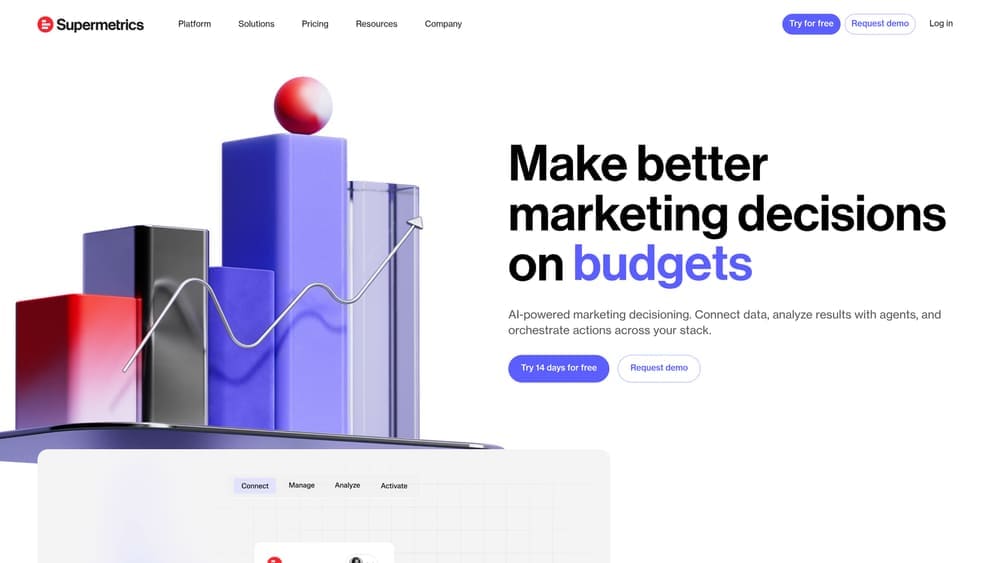
Supermetrics is a Marketing Intelligence Platform that automatically pulls data from 100+ marketing sources into your preferred reporting tools, eliminating hours of manual data collection each week.
Where This Tool Shines
Supermetrics solves the data fragmentation problem that plagues modern marketing teams. Instead of logging into Google Ads, Facebook Ads Manager, LinkedIn Campaign Manager, Instagram Insights, and a dozen other platforms to manually export CSV files, Supermetrics automatically pulls all this data into Google Sheets, Excel, Looker Studio, Tableau, Power BI, or your data warehouse. This automation transforms what used to be a 10-hour weekly task into a set-it-and-forget-it process.
The platform's real power emerges when you're managing campaigns across multiple channels and need unified reporting. You can compare Facebook ad performance against Google Ads, calculate blended ROI across all channels, and create executive dashboards that show complete marketing performance without switching between platforms. For agencies managing multiple client accounts, Supermetrics becomes indispensable—pulling data from dozens of accounts into standardized client reports automatically.
Key Features & Capabilities
100+ Data Source Connectors: Direct integrations with all major advertising platforms (Google Ads, Facebook Ads, LinkedIn Ads, TikTok Ads), analytics tools (Google Analytics, Adobe Analytics), social media platforms, and marketing automation systems.
Automated Data Refresh: Schedule data updates hourly, daily, or weekly to ensure your reports always reflect current performance without manual intervention.
Multiple Destination Options: Send data to Google Sheets and Excel for simple reporting, Looker Studio and Tableau for visualization, or BigQuery and Snowflake for advanced analysis.
Historical Data Backfill: Pull historical data for trend analysis and year-over-year comparisons, solving the problem of starting fresh with new reporting tools.
Custom Metric Calculations: Create calculated fields and custom metrics within Supermetrics before data reaches your reporting tool, streamlining your workflow.
Multi-Account Management: Agencies can manage data from multiple client accounts through a single interface, with permission controls and account organization features.
Best For / Ideal Users
Supermetrics is ideal for marketing agencies managing multiple client accounts who need standardized reporting across diverse marketing platforms. In-house marketing teams running campaigns across numerous channels will find it invaluable for creating unified performance dashboards without technical overhead.
The platform particularly benefits marketing analysts who currently spend significant time on manual data collection and report assembly. If you're
6. Looker Studio
Best for: Creating free, shareable marketing dashboards with seamless Google ecosystem integration
Looker Studio transforms marketing data into professional dashboards without requiring a budget or technical expertise.

Where This Tool Shines
Looker Studio's superpower is accessibility. While enterprise platforms charge thousands monthly, Looker Studio delivers professional dashboard capabilities at zero cost. The platform connects natively to Google's marketing suite—Analytics, Ads, Search Console, YouTube—eliminating the manual export-import cycle that consumes hours each week.
What makes Looker Studio particularly valuable is its sharing model. Create a dashboard once, share a link, and stakeholders access live data with customizable date ranges. No more emailing static PDFs that become outdated within hours. Clients, executives, and team members interact with real-time marketing performance through their browser, filtering by campaign, date range, or channel without touching the underlying data structure.
The drag-and-drop interface welcomes marketers without coding backgrounds while offering calculated fields and data blending for sophisticated analysis. You can combine Google Ads spend with Analytics conversion data and CRM revenue in a single visualization, answering the critical question: "Which campaigns actually drive profitable customers?"
Key Features & Capabilities
Native Google Integration: Direct connections to Analytics, Ads, Search Console, YouTube, and Sheets without third-party connectors.
Community Connectors: Access 800+ data source connectors built by the community for platforms like Facebook Ads, LinkedIn, and marketing automation tools.
Data Blending: Combine multiple data sources in single charts to create unified marketing views across platforms.
Calculated Fields: Build custom metrics like CAC, ROAS, or conversion rate without touching source data.
Scheduled Delivery: Automatically email reports to stakeholders on your chosen schedule.
Best For / Ideal Users
Looker Studio fits small to mid-sized marketing teams operating within Google's ecosystem who need professional reporting without enterprise budgets. Agencies delivering client dashboards find particular value—create branded, interactive reports that clients access directly rather than waiting for monthly presentations.
The platform works best when your primary data sources are Google properties or when you're willing to use community connectors for third-party platforms. Marketing professionals who need to share performance insights with non-technical stakeholders appreciate the simple sharing model and interactive filtering capabilities.
Pricing
Looker Studio is completely free with unlimited reports, data sources, and viewers. Looker Studio Pro ($9 per user/month) adds team workspaces, enhanced support, and enterprise features like expanded Big
7. Adobe Analytics
Best for: Enterprise-level marketing analytics with advanced segmentation and real-time data processing
Adobe Analytics delivers sophisticated marketing measurement for large organizations with complex data needs.
Where This Tool Shines
Adobe Analytics is built for marketing organizations that need enterprise-grade analytics with virtually unlimited customization and scalability. The platform's Analysis Workspace provides a flexible canvas for exploring marketing data with drag-and-drop simplicity, while offering statistical rigor that satisfies data scientists.
What distinguishes Adobe Analytics is its advanced segmentation engine—you can create incredibly specific audience segments based on behavioral patterns, then apply these segments across all your reports to understand how different customer groups interact with your marketing. The platform processes data in real-time, enabling immediate insights into campaign performance and customer behavior. For large marketing organizations, Adobe Analytics integrates seamlessly with the broader Adobe Experience Cloud, connecting analytics data with personalization, content management, and advertising platforms.
Key Features & Capabilities
Real-time data processing: No sampling limitations, ensuring accurate insights even with massive data volumes.
Advanced segmentation: Unlimited custom segments with comparison capabilities across different audience groups.
Attribution IQ: Multiple attribution models including algorithmic attribution that uses machine learning to assign credit.
Anomaly detection: Machine learning automatically identifies unusual patterns in your marketing data.
Contribution analysis: Automatically identifies factors driving significant metric changes without manual investigation.
Cross-device analytics: Stitches together customer journeys across devices for complete attribution visibility.
Data Warehouse: Unlimited custom data exports and deep historical analysis for complex marketing research.
Best For / Ideal Users
Adobe Analytics is ideal for enterprise marketing teams at large corporations, marketing organizations with complex multi-channel strategies, and businesses that need advanced analytics capabilities beyond what free tools provide.
It's particularly valuable for companies already using Adobe's marketing technology stack, organizations with dedicated analytics teams, and businesses where data-driven decision making is central to marketing strategy.
Pricing
Adobe Analytics uses custom enterprise pricing based on server calls (data volume), features required, and contract length. Typical implementations start around $100,000 annually for mid-sized businesses, with enterprise contracts often exceeding $500,000 annually.
8. Heap
Best for: Automatic event tracking and retroactive analysis without manual tagging implementation
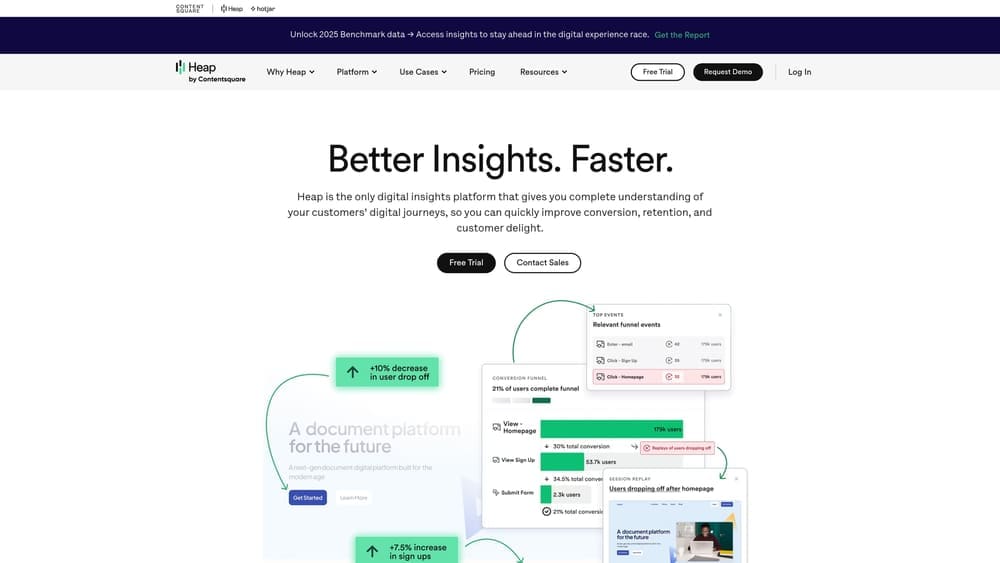
Heap eliminates one of marketing analytics' most frustrating bottlenecks: waiting for developers to implement tracking code every time you want to measure a new user action.
Where This Tool Shines
Heap's automatic capture technology records every click, tap, swipe, form submission, and page view from the moment you install it—no manual event tagging required. This means marketing teams can retroactively analyze user behavior without having planned for it in advance. Discovered that users who watch your product demo video convert at higher rates? With Heap, you can instantly analyze this behavior for the past six months, even though you never specifically tracked "demo video views" as an event.
This retroactive analysis capability transforms how marketing teams work. Instead of predicting which metrics matter before launching campaigns, you can explore actual user behavior after the fact and identify patterns you never anticipated. The platform's Session Replay feature adds crucial context by showing you exactly what users experienced, helping you understand why certain marketing touchpoints succeed or fail.
Key Features & Capabilities
Automatic Event Capture: Records all user interactions without requiring manual event tracking setup or developer resources.
Heap Illuminate: AI-powered analysis that automatically identifies friction points and drop-off patterns in user journeys that you might never think to look for.
Session Replay: Watch recordings of actual user sessions to understand the complete context behind behavior patterns and conversion obstacles.
Visual Journeys: Automatically generated maps showing all possible paths users take through your site or app, revealing unexpected navigation patterns.
Retroactive Analysis: Define new events and instantly see historical data without waiting for new data collection.
Sense AI Analytics: Natural language interface that lets marketers ask questions in plain English and get instant answers from their data.
Best For / Ideal Users
Heap is perfect for growth marketing teams at digital-first companies who need to move fast without depending on engineering resources for every analytics question. It's especially valuable for product marketers who need to understand how users interact with features after marketing campaigns drive signups, and for marketing teams that want to discover "unknown unknowns"—insights about user behavior they never thought to measure.
The platform works best for organizations with digital products, SaaS applications, or e-commerce sites where understanding detailed user behavior drives marketing strategy and optimization decisions.
Pricing
Heap offers a free tier for up to 10,000 sessions per month. Paid plans start with the Growth tier (custom pricing based on session volume) and include advanced features like unlimited user seats
Making the Right Choice
The best data analysis tool for your marketing team depends on three factors: your technical expertise, budget constraints, and specific analytical needs. If you're primarily working within Google's ecosystem and need comprehensive tracking without cost, Google Analytics 4 delivers enterprise-level capabilities for free. For teams requiring sophisticated visualizations and multi-source data integration, Tableau transforms complex datasets into compelling visual stories that drive strategic decisions.
Marketing professionals focused on proving ROI and revenue attribution should prioritize HubSpot Marketing Analytics or Adobe Analytics, depending on company size and budget. SaaS marketers and product teams benefit most from Mixpanel's event-based tracking and cohort analysis, while agencies managing multiple client accounts will find Supermetrics' automated data consolidation invaluable for eliminating manual reporting work.
The reality is that most successful marketing teams use multiple tools in combination—GA4 for foundational tracking, Looker Studio for stakeholder dashboards, and specialized platforms like Mixpanel or Heap for deeper behavioral analysis. Start with the tool that addresses your most pressing pain point, whether that's data fragmentation, attribution complexity, or executive reporting demands.
Ready to transform your marketing data into strategic advantage? Learn more about our services and discover how we help marketing teams implement data-driven strategies that deliver measurable business results.
Campaign
Creatives
quick links
contact
© 2025 Campaign Creatives.
All rights reserved.