campaign
creatives

Top 8 Automated Marketing Solutions For Small Businesses To Reclaim Your Time
Discover the top automated marketing solutions for small businesses that handle repetitive tasks like email campaigns, social media posting, and lead nurturing so you can focus on running your business instead of managing marketing manually.
Running a small business means wearing multiple hats—and the marketing hat often feels the heaviest. You're juggling social media posts, email campaigns, customer follow-ups, and analytics, all while trying to actually run your business.
Here's the reality: 63% of small businesses say their biggest marketing challenge is lack of time, not lack of ideas. You know what needs to be done—you just don't have enough hours in the day to do it all manually.
That's where automated marketing solutions come in. These platforms handle the repetitive tasks that eat up your schedule: sending welcome emails, posting to social media, nurturing leads, and tracking customer behavior. The result? You get your time back while your marketing runs consistently in the background.
We've tested and compared the leading automated marketing solutions specifically for small business needs. Each tool in this guide offers genuine automation capabilities, reasonable pricing for smaller budgets, and features you'll actually use—not enterprise bloat you'll never touch.
Whether you're a solopreneur looking to automate your email sequences or a growing team ready to coordinate multi-channel campaigns, you'll find a solution here that fits your business size, technical comfort level, and budget.
1. HubSpot Marketing Hub
Best for: Small businesses wanting an all-in-one platform that grows with them
HubSpot Marketing Hub offers a comprehensive automation platform that starts free and scales as your business expands.
Where This Tool Shines
HubSpot excels at bringing all your marketing channels under one roof. Instead of juggling separate tools for email, social media, landing pages, and analytics, everything lives in a unified dashboard.
The visual workflow builder makes automation accessible even if you've never set up marketing automation before—you literally drag and drop actions to create sequences. The free tier is genuinely useful (not just a trial), making it perfect for businesses testing automation for the first time. As you grow, the paid tiers unlock advanced features without forcing you to migrate to a completely new platform.
Key Features & Capabilities
Visual workflow builder: Create automated email sequences and lead nurturing campaigns without coding.
Built-in CRM: Tracks every customer interaction across channels automatically.
Landing page and form builders: Includes A/B testing capabilities for optimization.
Social media management: Schedule and monitor all platforms from a single dashboard.
Lead scoring: Automatically prioritizes your hottest prospects based on behavior.
Revenue analytics: Shows which campaigns drive actual revenue, not just opens and clicks.
Email personalization: Uses tokens and smart send times to increase engagement.
Best For / Ideal Users
HubSpot works best for small businesses planning to grow and wanting a platform that scales with them. It's ideal if you value having everything in one place rather than connecting multiple tools.
The learning curve is moderate—expect to spend a few hours getting comfortable, but the extensive free training resources through HubSpot Academy make onboarding smoother than most enterprise platforms. The platform particularly suits B2B companies and service-based businesses with longer sales cycles requiring systematic lead nurturing.
Pricing
Free tier includes basic email marketing, forms, and CRM for unlimited contacts. Paid plans start at $45/month for Marketing Hub Starter, which unlocks automation workflows and removes HubSpot branding. Professional tier ($800/month) adds advanced automation and A/B testing—typically needed once you're generating consistent leads.
2. Mailchimp
Best for: Small businesses prioritizing email automation with straightforward setup and approachable interface
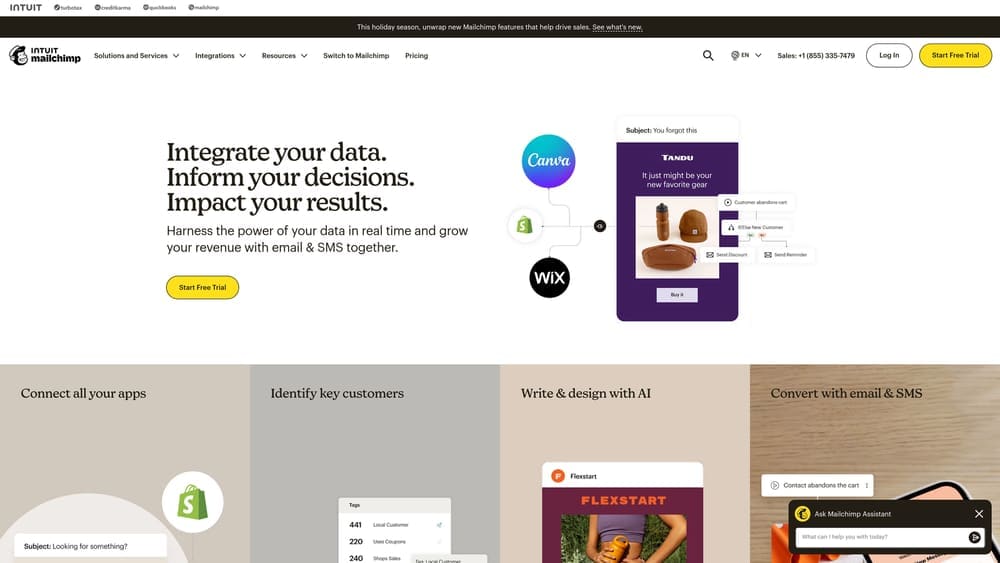
Mailchimp has evolved from a simple email tool into a multi-channel marketing platform while maintaining its user-friendly approach that made it popular with small businesses.
Where This Tool Shines
Mailchimp's greatest strength is making email automation feel approachable for business owners who don't consider themselves "tech people." The interface is intuitive enough that you can create your first automated welcome series in under 30 minutes, even if you've never set up automation before.
Pre-built automation templates handle common scenarios—abandoned cart emails, welcome series, re-engagement campaigns—so you're not staring at a blank canvas wondering where to start. The email builder offers a sweet spot between simplicity and customization, with drag-and-drop editing plus the ability to code custom designs if needed. For businesses just starting with automation, Mailchimp removes the intimidation factor while still delivering professional results.
Key Features & Capabilities
Pre-built Automation Workflows: Templates for welcome series, abandoned cart recovery, birthday emails, and re-engagement campaigns that you can customize to your brand.
Audience Segmentation: Target specific groups based on behavior, demographics, and engagement levels to send more relevant automated messages.
A/B Testing: Test subject lines, content variations, and send times to optimize your automated campaigns for better performance.
Landing Pages & Signup Forms: Create lead capture tools that integrate directly with your email lists and trigger automated sequences.
E-commerce Integrations: Deep connections with Shopify, WooCommerce, and other platforms enable product-specific automations and revenue tracking.
Predictive Analytics: AI-powered insights showing likely purchase behavior and churn risk help you target the right contacts with automated campaigns.
Best For / Ideal Users
Mailchimp suits small businesses and solopreneurs who want reliable email automation without complexity. It's particularly strong for e-commerce businesses due to deep shopping platform integrations that automatically sync product catalogs and purchase data.
If you're comfortable with email marketing but new to automation, Mailchimp's templates and guidance make the transition smooth. The platform works well when email is your primary marketing channel and you want to add automation without learning an entirely new system.
The learning curve is gentle—expect to feel productive within your first few hours rather than days. This makes it ideal for businesses that need to see results quickly without extensive training investment.
Pricing
Free plan supports up to 500 contacts and 1,000 monthly email sends with basic automation features. Essentials plan starts at $13/month for 500 contacts, adding A/B testing and custom branding removal. Standard plan ($20/month for 500 contacts) unlocks advanced automation, retargeting ads, and predictive analytics—the tier most growing businesses eventually need as their automation sophistication increases.
3. ActiveCampaign
Best for: Small businesses ready for sophisticated automation without enterprise complexity
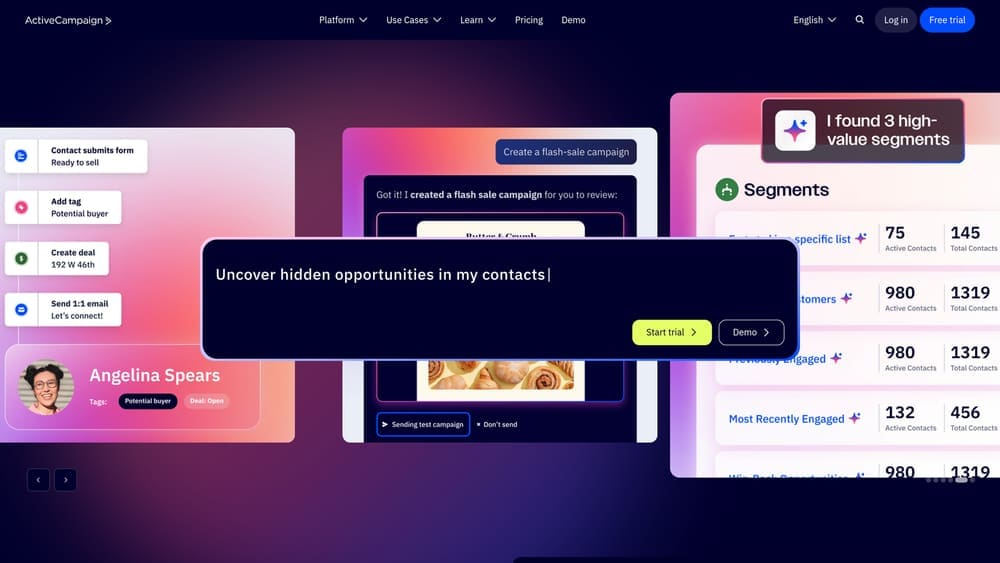
ActiveCampaign is an autonomous marketing platform that goes beyond traditional automation, using AI agents to handle email, SMS, WhatsApp and other marketing channels.
Where This Tool Shines
ActiveCampaign's real power lies in its conditional logic capabilities that let you build truly responsive customer journeys. When someone clicks a specific link in your email, they automatically enter one sequence. Don't click? They get a different path entirely. This branching logic rivals what enterprise platforms offer but without the six-figure price tag or dedicated IT team requirement.
The platform's AI agents now handle marketing busywork automatically, cutting approximately 13 hours of manual work each week according to their website. These agents analyze billions of data points to optimize send times, predict customer behavior, and adjust campaigns in real-time. Your emails reach inboxes when recipients are most likely to engage, not just when you schedule them.
The integrated CRM tracks every customer interaction automatically—email opens, website visits, form submissions—and updates contact records without manual data entry. This tight integration means your sales team sees the complete picture of each lead's journey, not just fragmented touchpoints across disconnected tools.
Key Features & Capabilities
Autonomous Marketing AI: AI agents handle routine marketing tasks automatically, from optimizing send times to adjusting campaign strategies based on performance data.
Multi-Channel Automation: Coordinate email, SMS, and WhatsApp messaging in unified workflows that reach customers on their preferred channels.
Advanced Workflow Builder: Create complex automation sequences with conditional logic, branching paths, and if/then scenarios that respond to customer behavior.
Built-in CRM: Manage contacts, track deals, and automate sales processes alongside marketing campaigns without switching platforms.
Site Tracking: Monitor which pages visitors view and trigger specific automations based on browsing behavior and engagement patterns.
Predictive Sending: Machine learning determines optimal send times for each individual contact based on their historical engagement patterns.
Attribution Reporting: See which marketing touchpoints actually drive conversions and revenue, not just vanity metrics like opens and clicks.
Best For / Ideal Users
ActiveCampaign works best for small businesses with defined customer journeys who want to automate the entire experience from first contact through purchase and beyond. You're the ideal user if you're moving past basic "send email to everyone" campaigns into sophisticated nurturing that responds to individual behavior.
The platform requires more initial setup time than simpler tools—expect to invest 15-20 hours mapping workflows and configuring automations. But that investment pays dividends in personalization power and automation sophistication that keeps working while you focus on other business priorities.
Service businesses, B2B companies, and online course creators particularly benefit from ActiveCampaign's ability to automate complex, multi-step customer journeys with different paths based on engagement and interest level.
Pricing
Plans start at $29/month for 1,000 contacts with core automation features including the AI agents and multi-channel capabilities. Plus tier ($49/month) adds the integrated CRM, lead scoring, and SMS marketing. Professional tier ($149/month) includes attribution reporting, predictive sending, and site messaging—typically needed once you're generating 50+ leads monthly and want deeper insights into what's actually driving results.
4. Keap (formerly Infusionsoft)
Best for: Service-based small businesses needing CRM and automation combined
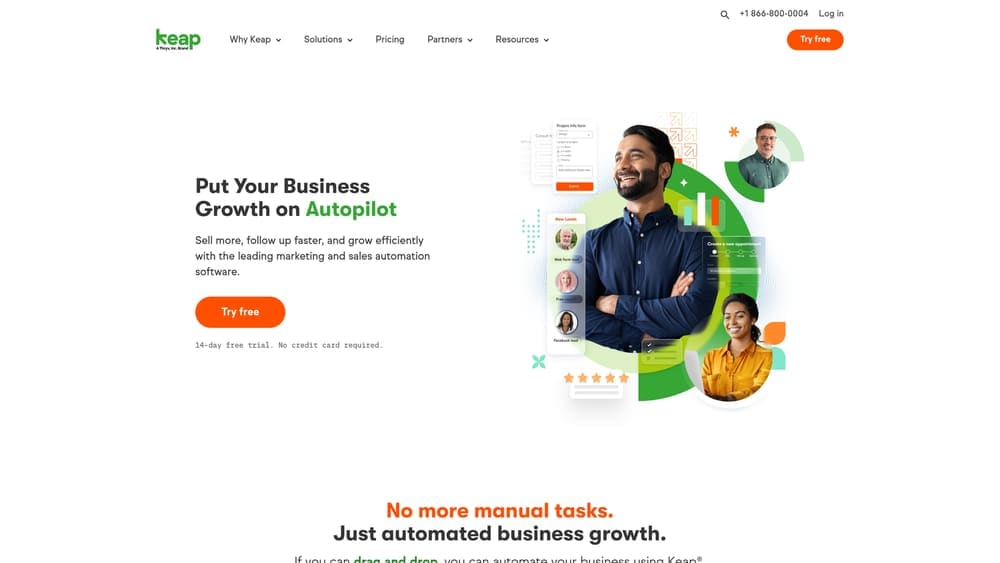
Keap specializes in helping service businesses automate client management from initial inquiry through ongoing relationship maintenance.
Where This Tool Shines
Keap excels at automating the entire client lifecycle specifically for service businesses. The platform combines contact management, appointment scheduling, invoicing, and marketing automation in one system—eliminating the need to juggle separate tools for different functions.
What sets Keap apart is how deeply it understands service business workflows. Automated follow-up sequences ensure no lead falls through the cracks during your busiest periods. The built-in payment processing lets you send invoices and collect payments without leaving the platform or switching to separate billing software.
The mobile app is particularly robust compared to competitors, letting you manage client relationships on the go. For coaches, consultants, and service providers, Keap handles the administrative tasks that typically consume hours each week—appointment confirmations, payment reminders, follow-up scheduling, and client communication tracking.
Key Features & Capabilities
Combined CRM and Marketing Automation: Designed specifically for service businesses rather than adapted from general marketing tools.
Appointment Scheduling: Automated reminders and follow-ups reduce no-shows and keep your calendar filled.
Built-in Payment Processing: Invoice generation and payment collection happen within the same platform as client communication.
Text Message Automation: Appointment confirmations and updates via SMS alongside email sequences.
Pipeline Management: Visual deal tracking shows exactly where each prospect stands in your sales process.
Landing Pages and Forms: Lead capture tools optimized for service business conversion patterns.
Automated Task Creation: Team members receive tasks automatically based on client actions and workflow triggers.
Best For / Ideal Users
Keap works best for service-based small businesses—coaches, consultants, agencies, health practitioners, real estate professionals—who want to automate client management alongside marketing efforts. It's ideal if you're tired of juggling separate tools for scheduling, invoicing, and communication.
The platform has a steeper learning curve than basic email tools, but Keap provides extensive onboarding support to help you implement effectively. If you bill clients regularly and manage ongoing relationships rather than one-time transactions, Keap's integrated approach saves significant time.
Pricing
Plans start at $249/month for up to 1,500 contacts, including CRM, automation, and payment processing. Max tier ($299/month) adds advanced reporting and lead scoring. All plans include onboarding support and migration assistance—important given the platform's complexity. No free tier available, but a 14-day trial lets you test functionality before committing.
5. Constant Contact
Best for: Small businesses wanting simple automation with excellent customer support
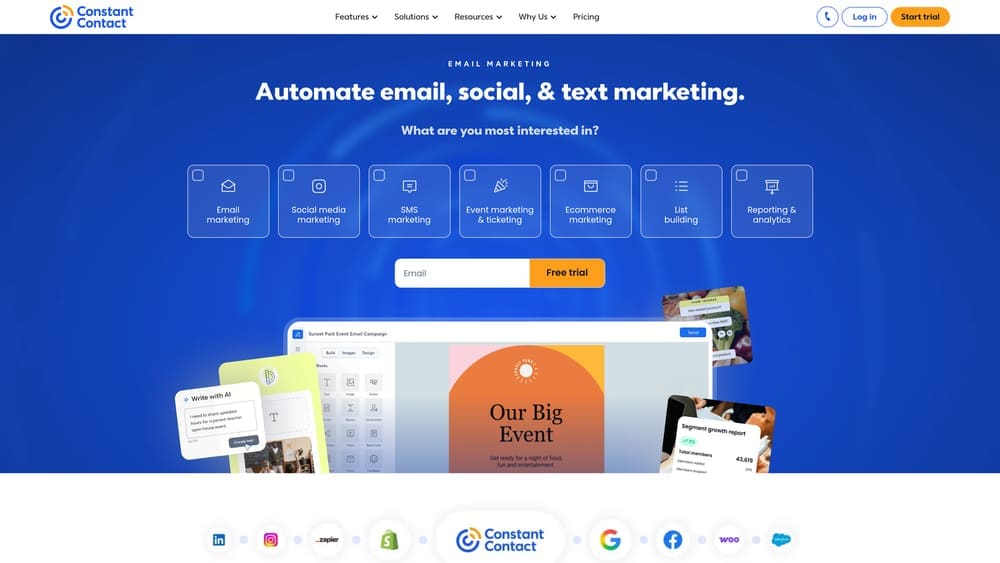
Constant Contact focuses on making email marketing and basic automation accessible to non-technical users with industry-leading support.
Where This Tool Shines
Constant Contact's superpower is simplicity paired with exceptional support. The interface is designed for business owners who don't consider themselves "tech people"—every feature includes helpful tooltips and guidance.
Phone support is available during extended hours (rare for this price point), and representatives actually help you build campaigns rather than just troubleshooting technical issues. The automation features are intentionally streamlined—you won't find complex conditional logic, but you will find reliable welcome series, birthday emails, and re-engagement campaigns that work without constant tweaking.
Key Features & Capabilities
Drag-and-drop email builder: Hundreds of mobile-responsive templates that require zero coding knowledge.
Automated welcome series: Set up once and automatically greet new subscribers with your brand story.
List segmentation tools: Group contacts based on engagement levels and demographics for targeted messaging.
Social media integration: Post to Facebook and Instagram directly from the platform and create social ads.
Event marketing features: Built-in registration tools with automated reminder emails for workshops and events.
E-commerce connections: Integrate with online stores to recover abandoned carts automatically.
Real-time reporting: Click maps show exactly where people engage in your emails.
Best For / Ideal Users
Constant Contact suits small businesses and nonprofits who want reliable email automation without complexity. It's particularly strong for local businesses, retail shops, and organizations running events.
If you value being able to call someone when you're stuck, Constant Contact's support makes them worth considering even if competitors offer more features. The platform works best when you need straightforward automation that just works rather than sophisticated behavioral triggers.
Pricing
Core plan starts at $12/month for 500 contacts, including basic automation and email marketing. Plus plan ($35/month for 500 contacts) adds automated series, dynamic content, and polls/surveys. All plans include unlimited emails and access to phone/chat support—a significant advantage over competitors who charge extra for support.
6. Drip
Best for: E-commerce small businesses wanting revenue-focused automation
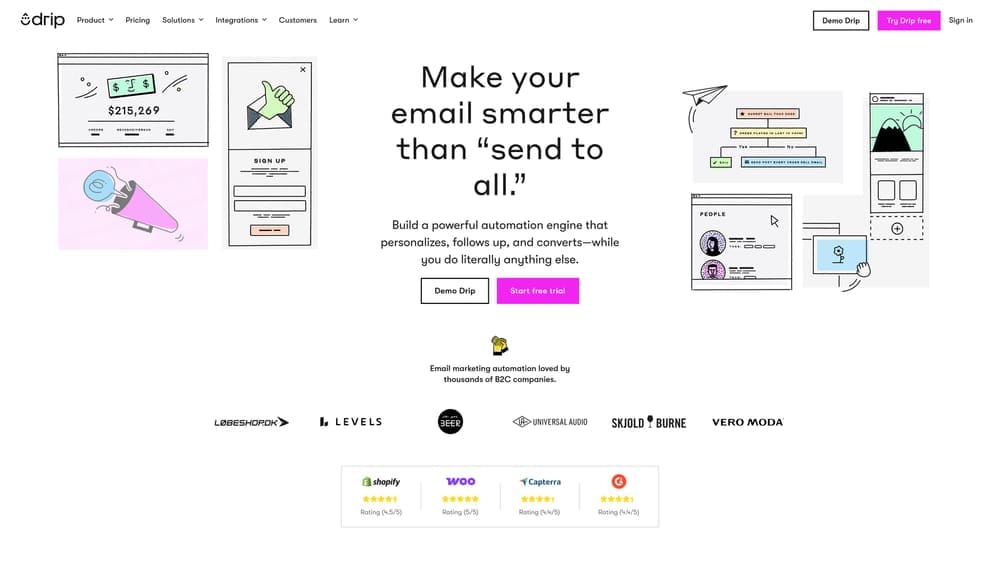
Drip is a marketing automation platform built specifically for B2C brands who need to move beyond basic "send to all" email blasts and implement sophisticated, revenue-driving automation.
Where This Tool Shines
Drip's e-commerce specialization isn't just marketing talk—it's embedded in every feature. The platform automatically tracks customer behavior across your entire store: which products they browse, what they add to cart, what they actually purchase, and even how long they spend on specific product pages. This behavioral data then powers highly targeted automations that feel personal rather than robotic.
The abandoned cart sequences go beyond generic "you left something behind" messages. Drip dynamically inserts the actual products left in the cart, shows real-time inventory levels to create urgency, and can even adjust messaging based on cart value. Post-purchase automations are equally sophisticated—cross-selling related products based on what customers actually bought, not just generic recommendations.
What sets Drip apart is revenue attribution reporting. You don't just see open rates and click rates—you see exactly which automated campaigns generated actual sales dollars. This clarity helps you focus optimization efforts on automations that drive revenue, not just engagement vanity metrics.
Key Features & Capabilities
E-commerce Automation Workflows: Pre-built sequences for abandoned cart, browse abandonment, post-purchase follow-up, and win-back campaigns designed specifically for online stores.
Revenue Tracking: Attribution reporting that connects specific campaigns and automations directly to sales, showing dollar impact rather than just engagement metrics.
Behavioral Product Recommendations: Dynamic content that suggests products based on individual browsing history, purchase patterns, and customer lifetime value.
Customer Segmentation: Advanced segmentation using purchase behavior, lifetime value, product preferences, and engagement patterns to create hyper-targeted campaigns.
Multi-Channel Automation: Coordinated sequences across email, SMS, and on-site messaging that trigger based on customer actions across all touchpoints.
Best For / Ideal Users
Drip works best for small to medium e-commerce businesses who have moved beyond basic email marketing and are ready to implement sophisticated behavioral automation. You'll get maximum value if you understand e-commerce metrics like customer lifetime value, average order value, and purchase frequency.
The platform assumes you have a functioning online store with consistent traffic and sales. If you're just launching your e-commerce business, you might want to start with simpler tools and graduate to Drip once you have established customer patterns to automate around.
Service-based businesses or B2B companies will find Drip's features overly focused on product sales. The platform is purpose-built for businesses selling physical or digital products online through platforms like Shopify, WooCommerce, or Magento.
Pricing
Plans start at $39/month for up to 2,500 contacts, with all automation features and e-commerce integrations included from day one. There are no feature tiers—you get full functionality regardless of plan level. Pricing scales based on contact count: $154/month for 10,000 contacts. A 14-day free trial lets you test the platform's e-commerce integrations with your actual store before committing.
7. GetResponse
Best for: Small businesses wanting automation plus webinar capabilities in one platform
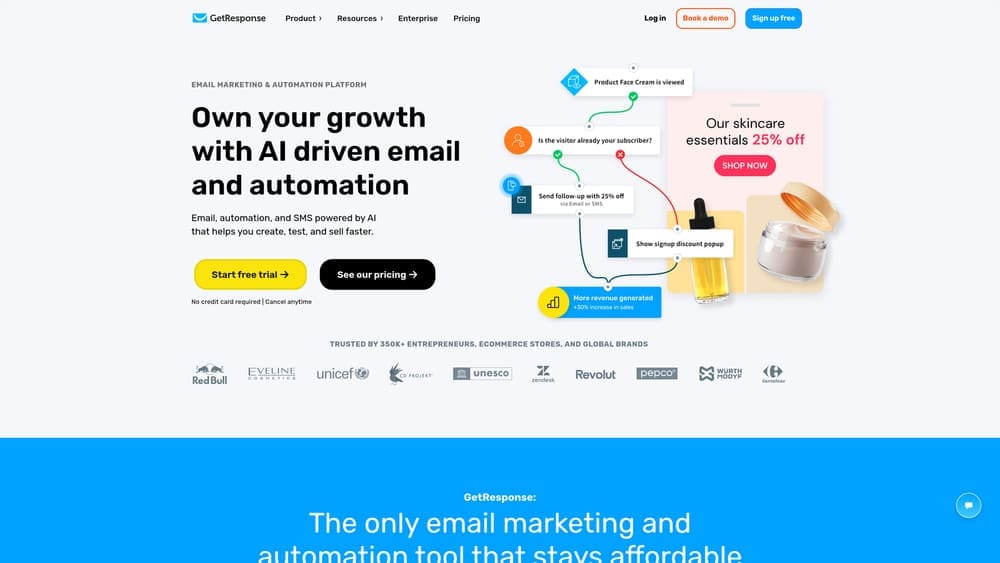
GetResponse combines AI-powered email marketing automation with built-in webinar hosting—a rare combination that eliminates the need for separate webinar software subscriptions.
Where This Tool Shines
GetResponse stands out by bundling webinar functionality directly into their marketing automation platform. While most competitors force you to integrate third-party webinar tools, GetResponse handles everything natively—from automated webinar invitations through post-event follow-ups. The platform serves 350,000+ businesses precisely because it consolidates multiple tools into one system.
The AI-driven approach extends across email creation, landing page design, and website building. You're not starting from blank templates—the AI suggests content, optimizes send times, and helps structure campaigns based on your business goals. For small teams without dedicated marketing specialists, this guidance accelerates implementation significantly.
Key Features & Capabilities
Unlimited Marketing Automations: Create as many automated workflows as needed without hitting arbitrary limits common in competitor platforms.
AI Email Generator: Generates email content and subject lines based on your campaign objectives, reducing time spent on copywriting.
Conversion Funnels: Pre-built funnel templates guide prospects from awareness through purchase with automated touchpoints at each stage.
Website & Landing Page Builder: AI-powered builders create mobile-responsive pages without coding, integrated directly with email campaigns.
SMS Marketing & Web Push: Expand beyond email with text message automation and browser notifications for multi-channel engagement.
Ecommerce Integrations: Connect with major shopping platforms for abandoned cart recovery and product recommendation automations.
Best For / Ideal Users
GetResponse suits small businesses using or planning to use webinars for lead generation, product demos, or customer education. If you're currently paying for separate email, landing page, and webinar tools, consolidating into GetResponse typically reduces both costs and technical complexity.
The platform works particularly well for coaches, consultants, course creators, and B2B service providers where webinars play a central role in the sales process. The AI assistance makes it accessible even if you're new to marketing automation, though you'll still need time to learn the platform's breadth.
Pricing
Email Marketing plan starts at $19/month for basic automation with unlimited newsletters and landing pages. Marketing Automation plan ($59/month) unlocks advanced workflows, webinar hosting for up to 100 attendees, and conversion funnels—the tier most businesses eventually need. Ecommerce Marketing plan ($119/month) adds abandoned cart automation and product recommendations specifically for online stores.
8. Sendinblue (Brevo)
Best for: Small businesses wanting affordable multi-channel automation with unlimited contacts
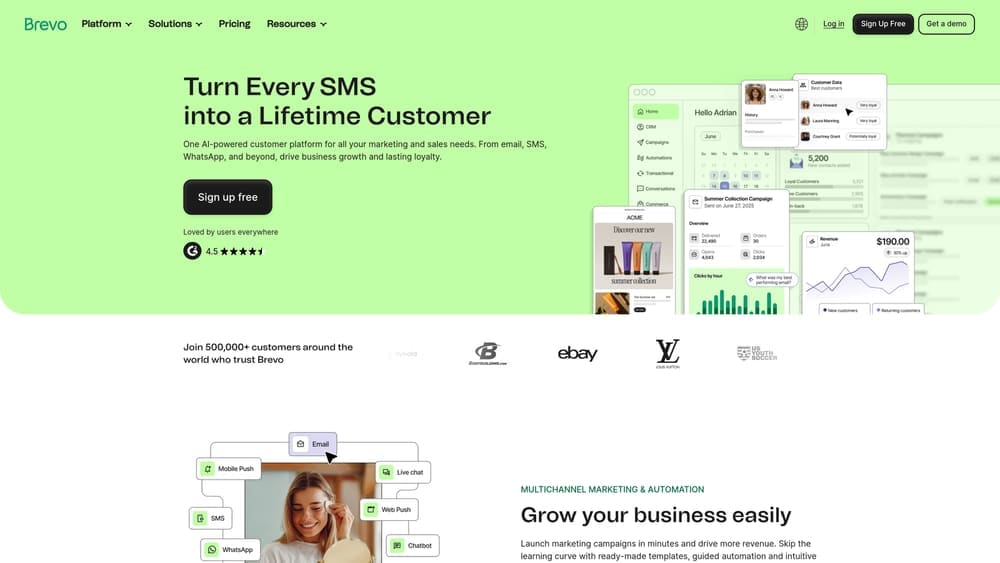
Brevo (formerly Sendinblue) combines email, SMS, WhatsApp, and live chat automation at price points significantly lower than competitors while allowing unlimited contacts on every plan.
Where This Tool Shines
Brevo's pricing model is fundamentally different from most automation platforms. While competitors charge based on contact list size—meaning costs balloon as your list grows—Brevo charges based on emails sent. This structure is transformative for businesses with large subscriber lists but modest sending frequency. You can maintain 10,000 contacts and only pay for the emails you actually send each month.
The platform brings email, SMS, WhatsApp campaigns, and live chat into one interface. This multi-channel approach means you can automate customer touchpoints across their preferred communication channels without juggling separate tools or paying for multiple subscriptions. The automation builder focuses on practical workflows rather than overwhelming complexity—you'll find the essential triggers and actions without drowning in options you'll never use.
Key Features & Capabilities
Email Marketing Automation: Visual workflow builder for welcome series, abandoned cart recovery, and behavioral triggers based on email engagement.
SMS Marketing Integration: Text message campaigns and automations that coordinate with email sequences for multi-channel customer journeys.
WhatsApp Campaigns: Reach customers on their preferred messaging platform with automated WhatsApp communications and responses.
Live Chat & Chatbot: Website chat functionality with automated responses and conversation routing to appropriate team members.
Built-in CRM: Contact management and sales pipeline tracking that syncs with marketing automation activities.
Transactional Email: Reliable delivery for order confirmations, shipping notifications, and password resets with dedicated infrastructure.
Best For / Ideal Users
Brevo works exceptionally well for businesses with growing contact lists who want to control costs. If you're building an audience but don't email them daily, the send-based pricing saves substantial money compared to contact-based competitors.
The platform suits businesses wanting multi-channel automation—email plus SMS or WhatsApp—without paying for separate services. E-commerce stores, service businesses, and content creators benefit from coordinating customer communication across channels from one dashboard.
Brevo is ideal if you value straightforward functionality over feature abundance. The interface is clean and focused, making it accessible for teams without dedicated marketing specialists.
Pricing
Free plan includes unlimited contacts with 300 emails per day—genuinely useful for testing and small-scale operations. Starter plan begins at $25/month for 20,000 emails with no daily sending limit and basic automation. Business plan ($65/month for 20,000 emails) unlocks advanced automation, A/B testing, and multi-user access. All plans include email, SMS, chat, and CRM capabilities without feature gating.
Making the Right Choice
The right automated marketing solution depends on where your business is today and where you're headed. If you're just starting with automation and want room to grow, HubSpot's free tier gives you a solid foundation that scales naturally. E-commerce businesses will find Drip's revenue-focused features pay for themselves quickly through recovered carts and targeted product recommendations.
For service-based businesses juggling client management alongside marketing, Keap's combined CRM and automation eliminate the tool-switching headache. Budget-conscious businesses with large contact lists should look at Brevo's unlimited contacts model—it's a game-changer when you're watching every dollar.
Here's the thing: the "best" tool isn't the one with the most features. It's the one you'll actually use consistently. Start with your biggest time drain—whether that's email follow-ups, social posting, or lead nurturing—and choose a platform that solves that specific problem well. You can always expand into additional features once you've got your core automation running smoothly.
The businesses seeing real results from automation aren't necessarily using the most sophisticated platforms. They're using tools that match their technical comfort level, integrate with their existing systems, and actually get implemented rather than sitting unused because they're too complex.
Ready to take your marketing to the next level? Learn more about our services and discover how we help businesses implement marketing strategies that drive real growth.
Campaign
Creatives
quick links
contact
© 2025 Campaign Creatives.
All rights reserved.