campaign
creatives

Top 7 Customer Journey Mapping Tools Comparison To Visualize Every Touchpoint
This customer journey mapping tools comparison evaluates seven leading platforms that transform scattered customer data into clear visualizations, helping teams identify conversion bottlenecks and prioritize improvements that drive measurable results.
Your marketing team spent three hours in a conference room last week mapping customer touchpoints on a whiteboard. By Friday, half the sticky notes had fallen off, and nobody could remember which pain points were priorities. Meanwhile, your customer experience data sits scattered across Google Analytics, your CRM, and support tickets—impossible to connect into a coherent picture of how people actually experience your brand.
Customer journey mapping tools transform this chaos into clarity. These platforms visualize the complete path customers take from first awareness through purchase and retention, connecting behavioral data with emotional insights across every touchpoint. The right tool helps you spot conversion bottlenecks, align cross-functional teams around customer needs, and prioritize improvements that actually move metrics.
We've tested seven leading platforms hands-on, from enterprise analytics powerhouses to collaborative visual workspaces perfect for smaller teams. Some excel at real-time collaboration and workshop facilitation, while others shine with built-in analytics and measurement capabilities. Here are the top customer journey mapping tools that help you understand—and improve—every customer interaction in 2025.
1. Miro
Best for: Collaborative teams needing flexible, visual journey mapping with real-time editing
Miro has become the go-to platform for teams that value visual collaboration and flexibility in their customer journey mapping process.

Where This Tool Shines
Miro's infinite canvas approach gives teams unlimited space to map complex customer journeys without feeling constrained by rigid templates. The platform excels at bringing cross-functional teams together—marketing, sales, product, and customer success can all contribute simultaneously.
Real-time cursors show exactly where teammates are working, making remote collaboration feel natural. The extensive template library includes pre-built customer journey frameworks that you can customize, saving hours of setup time. Integration with tools like Slack, Microsoft Teams, and Jira means your journey maps stay connected to your actual workflow rather than becoming isolated documents.
Key Features & Capabilities
Infinite Canvas with Zoom Capabilities: Map journeys of any complexity without spatial constraints, expanding organically as you discover additional touchpoints.
200+ Pre-Built Templates: Includes customer journey maps, service blueprints, and empathy maps that you can customize to your needs.
Real-Time Collaboration: Video chat, comments, and voting features built directly into the platform for seamless teamwork.
Smart Diagramming: Connector lines automatically adjust as you move elements, keeping your journey maps clean and organized.
Integration Ecosystem: Connects to 100+ apps including analytics and CRM platforms to keep journey maps linked to your workflow.
Presentation Mode: Share journey maps with stakeholders without giving them editing access, perfect for executive reviews.
Best For / Ideal Users
Miro works best for marketing and product teams that prioritize collaboration over rigid structure. If your journey mapping process involves workshops, brainstorming sessions, or frequent iteration with multiple stakeholders, Miro's flexibility becomes invaluable.
It's particularly strong for agencies managing multiple client journey maps or enterprise teams coordinating across departments. Teams running frequent workshops where diverse perspectives need to converge into shared understanding will find the real-time collaboration features essential.
Pricing
Free plan available for up to 3 editable boards. Paid plans start at $8 per member monthly (billed annually), with Team plans at $16 per member monthly offering unlimited boards and advanced features. Enterprise pricing available for larger organizations needing enhanced security and admin controls.
2. Smaply
Best for: Dedicated journey mapping with persona management and stakeholder presentation features
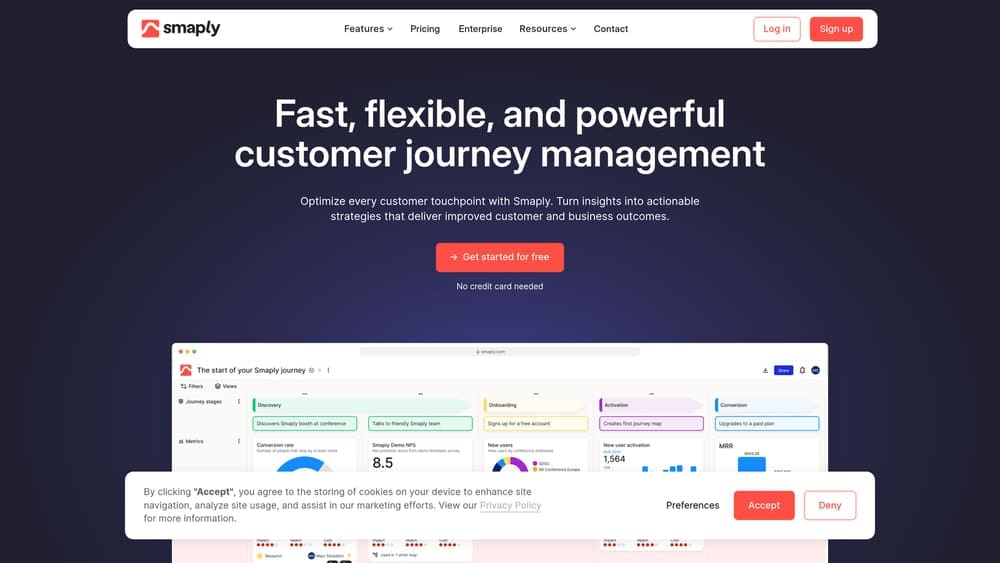
Smaply is purpose-built for customer journey mapping, offering specialized features that general collaboration tools can't match.
Where This Tool Shines
Unlike general-purpose tools adapted for journey mapping, Smaply was designed specifically for this use case from the ground up. The platform connects personas directly to journey maps, letting you visualize how different customer segments experience your brand.
Stakeholder maps show which team members or departments are responsible for each touchpoint, making accountability clear. The emotional journey visualization helps identify moments of friction or delight that might not be obvious from behavioral data alone. Export options create presentation-ready journey maps that look professional without additional design work.
Key Features & Capabilities
Integrated Persona Builder: Links directly to journey maps for segment-specific views of customer experiences.
Stakeholder Mapping: Assigns ownership and responsibility for each customer touchpoint across departments.
Emotional Journey Tracking: Visual indicators show customer sentiment at each stage of the journey.
Multi-Channel Visualization: Shows how customers move between digital and physical touchpoints.
Professional Export Options: Creates PDF, PNG, or interactive HTML formats for stakeholder presentations.
Best For / Ideal Users
Smaply suits customer experience professionals and UX researchers who need specialized journey mapping capabilities. If you're managing multiple personas with distinct journeys, or need to present journey maps to executives who aren't involved in the creation process, Smaply's focused feature set delivers value.
It's particularly effective for organizations with complex, multi-channel customer experiences where accountability matters. CX teams in established brands benefit from the professional presentation capabilities and persona integration.
Pricing
Plans start at €25 per user monthly for the Professional plan with unlimited journey maps and personas. Business plan at €45 per user monthly adds team collaboration and advanced export options.
3. UXPressia
Best for: Teams wanting comprehensive CX tools including journey maps, personas, and impact maps
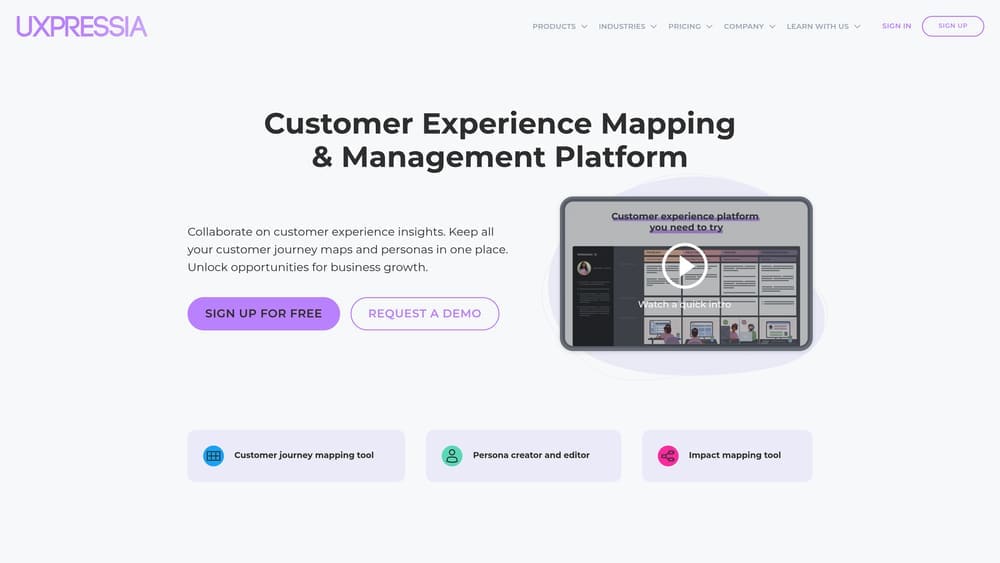
UXPressia combines customer journey mapping with a full suite of customer experience design tools in one integrated platform.
Where This Tool Shines
UXPressia takes a holistic approach to customer experience by connecting journey maps with personas, impact maps, and touchpoint analysis in one centralized workspace. The platform's repository system organizes all your CX assets with custom tags, statuses, and ownership assignments, making it easy to manage multiple journey mapping initiatives across different teams or departments.
The real power shows up when you link personas directly to journey maps. Instead of maintaining separate documents, you can visualize how different customer segments experience your brand, switching between perspectives without recreating maps from scratch. This becomes invaluable when you're managing B2B versus B2C journeys, or comparing first-time buyers against repeat customers.
Collaboration happens both in real-time and asynchronously, which matters for distributed teams working across time zones. Team members can leave comments, assign tasks, and track changes without requiring everyone to be online simultaneously. Version history ensures you never lose previous iterations when testing new journey structures.
The template library and team libraries maintain consistency across your organization. When multiple teams create journey maps, shared templates ensure everyone follows the same structure and visual language. This consistency becomes critical when presenting to executives or coordinating cross-departmental initiatives.
Key Features & Capabilities
Centralized CX Repository: All journey maps, personas, and impact maps stored in one place with custom taxonomy, tags, and statuses for easy organization and retrieval.
Persona-Journey Integration: Link customer personas directly to journey maps to visualize segment-specific experiences without duplicating work.
Team Collaboration Workspace: Real-time and asynchronous collaboration with commenting, task assignment, and version history tracking.
Template & Library System: Pre-built templates and team libraries ensure consistent, on-brand journey maps across your organization.
White-Label Export Options: Professional export formats with customizable branding for agencies presenting to clients or internal stakeholder reviews.
Impact Mapping: Connect journey pain points to business impact and improvement initiatives to prioritize CX investments.
Best For / Ideal Users
UXPressia works well for CX teams and agencies that need more than just journey mapping. If you're building comprehensive customer experience programs that include persona development, touchpoint audits, and impact planning, having everything in one platform streamlines your workflow and eliminates the friction of maintaining separate tools.
It's especially valuable for consultants and agencies managing multiple client projects. The project-based organization,
4. Lucidchart
Best for: Organizations already using Lucid Suite wanting to add journey mapping to their diagramming toolkit
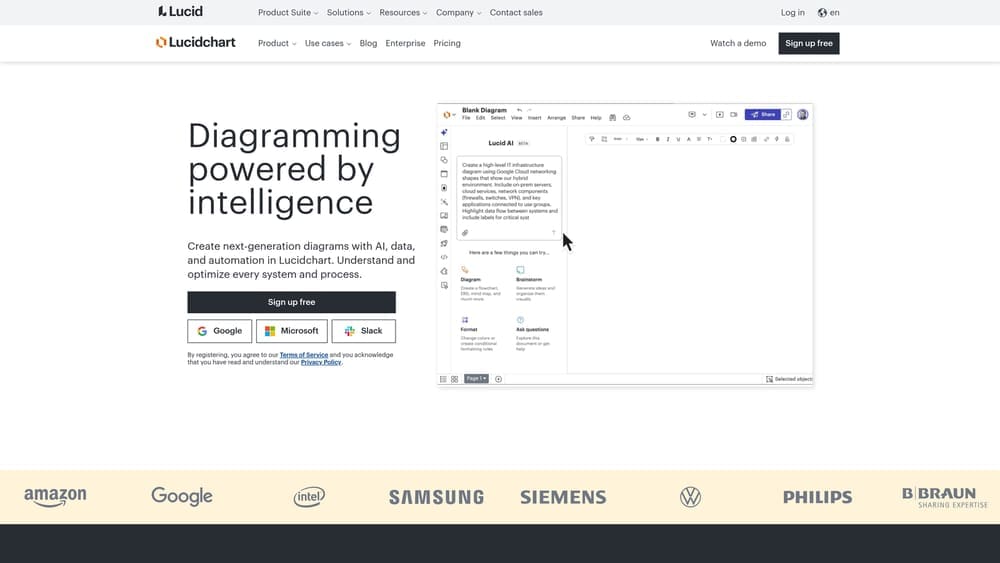
Lucidchart brings enterprise-grade diagramming capabilities to customer journey mapping, combining AI-powered intelligence with data automation for dynamic visualizations.
Where This Tool Shines
Lucidchart's versatility sets it apart—you can create customer journey maps alongside flowcharts, org charts, and technical diagrams without switching platforms. This matters when your team needs to connect journey maps to process flows, system architectures, or organizational structures that influence customer experience.
The data linking feature transforms static journey maps into dynamic visualizations. Connect touchpoints to your CRM, analytics platform, or databases, and watch your maps update automatically as customer behavior changes. Conditional formatting adds another layer of intelligence—highlight specific journey stages based on conversion rates, flag touchpoints where customers drop off, or color-code paths by customer segment.
For organizations already invested in Lucid Suite for technical diagramming or process mapping, adding journey mapping capabilities doesn't require learning a new interface or managing another vendor relationship. The platform's enterprise features include granular permissions, comprehensive audit logs, and SSO integration that inherits your existing security policies.
Key Features & Capabilities
Professional Diagramming Engine: Smart shapes and automatic formatting create polished journey maps without design expertise, with AI assistance suggesting optimal layouts.
Live Data Connectivity: Link journey map elements to real-time data from CRM systems, analytics platforms, or SQL databases for dynamic updates based on actual customer behavior.
Conditional Formatting: Automatically highlight journey stages, touchpoints, or customer segments based on criteria you define, making patterns and problems immediately visible.
Cross-Platform Integration: Native connections to Google Workspace, Microsoft 365, Slack, and Atlassian products embed journey maps directly in your existing workflow.
Version Control System: Complete revision history tracks every change to journey maps, enabling teams to iterate confidently and revert when needed.
Enterprise Security Framework: SSO, SAML authentication, and advanced admin controls ensure journey maps meet corporate security and compliance requirements.
Best For / Ideal Users
Lucidchart makes strategic sense for organizations that need multiple diagram types beyond journey mapping. If your teams create process flows for operations, system architectures for engineering, and organizational charts for HR alongside customer journeys, consolidating on one platform eliminates tool sprawl and reduces licensing costs.
The platform particularly serves enterprise teams where IT governance, security compliance, and data integration capabilities drive tool selection. When your journey maps need to connect to live business data or when
5. Custellence
Best for: Customer experience professionals needing advanced journey analytics and measurement capabilities
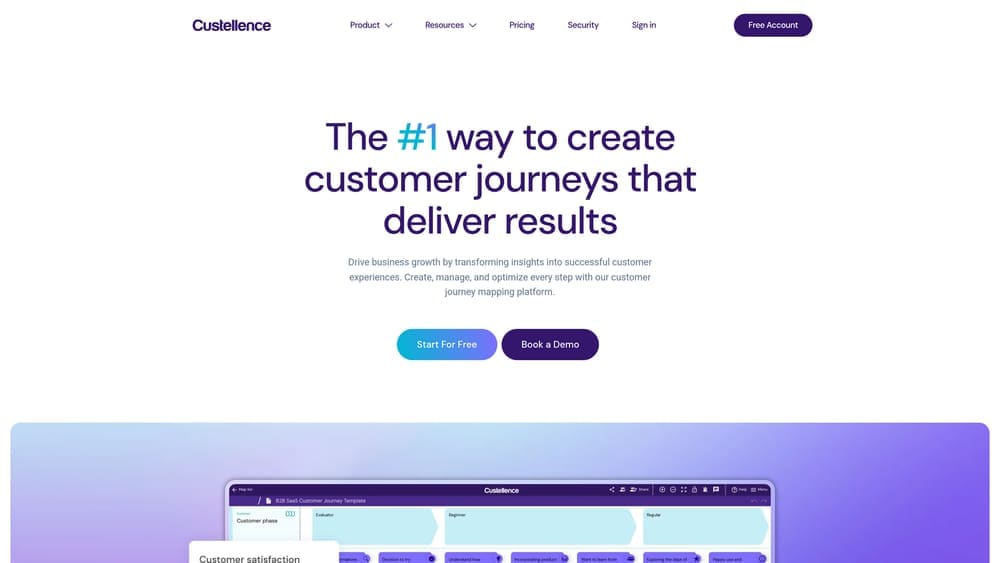
Custellence transforms customer journey mapping from a visualization exercise into a measurement discipline, helping CX teams prove the business impact of experience improvements.
Where This Tool Shines
Custellence distinguishes itself by treating journey maps as living analytical tools rather than static diagrams. The platform calculates quantifiable metrics for each touchpoint—effort scores, emotional impact ratings, and satisfaction levels—giving you data-driven priorities for improvement rather than relying on gut instinct.
The multi-journey comparison capability reveals how different customer segments experience your brand. You might discover that enterprise buyers face friction during contract negotiation while SMB customers struggle with onboarding—insights that would remain hidden if you only looked at journeys in isolation. This segmented view makes personalization strategies more targeted and effective.
Key Features & Capabilities
Journey Analytics Engine: Calculates effort, emotion, and satisfaction metrics for each touchpoint, transforming subjective journey maps into quantifiable data that stakeholders can act on.
Multi-Journey Comparison: Analyzes differences between customer segments, product lines, or regional variations to identify where experiences diverge and personalization opportunities exist.
Research Integration: Connects journey maps directly to customer feedback, survey responses, and behavioral analytics, ensuring your maps reflect actual customer experience rather than assumptions.
Automated Reporting: Generates stakeholder-ready presentations showing journey performance trends over time, eliminating manual report creation and keeping executives informed.
Touchpoint Library: Maintains consistency across multiple journey maps by creating reusable touchpoint definitions that teams can reference and update centrally.
Best For / Ideal Users
Custellence suits CX professionals managing mature customer experience programs where measurement and ROI matter. If you're responsible for proving that journey improvements drive business outcomes, the built-in analytics save significant time compared to maintaining separate tracking systems.
The platform works particularly well for organizations with multiple customer segments or product lines. When you need to understand how different audiences experience your brand and prioritize improvements based on impact rather than opinion, Custellence's analytical approach delivers clarity.
Teams presenting journey insights to executives or board members benefit from the automated reporting capabilities. Instead of manually creating presentations each quarter, the platform generates performance dashboards that show how customer experience metrics evolve over time.
Pricing
Professional plan starts at €49 per user monthly with core journey mapping and analytics features. Business plan at €99 per user monthly adds advanced analytics and integrations. Enterprise pricing available for larger organizations needing custom features and dedicated support.
6. Microsoft Visio
Best for: Enterprise organizations standardized on Microsoft 365 needing integrated journey mapping
Microsoft Visio brings professional diagramming capabilities to customer journey mapping for organizations already invested in the Microsoft ecosystem.
Where This Tool Shines
Visio's greatest strength lies in its seamless integration with Microsoft 365—your journey maps inherit the same security policies, authentication systems, and compliance standards as the rest of your organization's tools. This eliminates the security reviews and IT exceptions that third-party tools often require.
The platform enables real-time co-authoring through Visio for the web, letting teams collaborate on journey maps just like they do in Word or PowerPoint. Changes save automatically to OneDrive or SharePoint, and version history tracks every iteration. For enterprise teams working across departments, this familiar collaboration model reduces friction and accelerates adoption.
Key Features & Capabilities
Native Microsoft 365 Integration: Journey maps connect directly to Teams channels, SharePoint sites, and OneDrive folders without third-party connectors.
Data Connectivity: Link journey map elements to Excel spreadsheets, SQL databases, or SharePoint lists for dynamic updates based on actual customer data.
Real-Time Co-Authoring: Multiple team members can edit journey maps simultaneously through the web app with automatic conflict resolution.
Template Library: Access customer journey templates and service blueprint frameworks, plus create custom stencils for your organization's specific needs.
Power Automate Integration: Trigger workflows when journey maps are updated, sending notifications or creating tasks in other Microsoft tools.
Enterprise Security: Journey maps automatically comply with your organization's data governance, retention policies, and access controls.
Best For / Ideal Users
Visio makes the most sense for enterprise organizations with established Microsoft 365 environments. If your IT policies restrict third-party SaaS tools, or you need journey maps that integrate with SharePoint workflows and Teams channels, Visio eliminates the need for security exceptions and additional vendor management.
The platform particularly benefits large organizations where governance overhead matters. Instead of managing separate user accounts, permissions, and compliance for another tool, journey mapping happens within your existing Microsoft infrastructure. Teams already comfortable with Microsoft's interface and collaboration model can start creating journey maps immediately.
Pricing
Visio Plan 1 (web-only) costs $5 per user monthly and includes basic diagramming with real-time collaboration. Visio Plan 2 at $15 per user monthly adds desktop applications and advanced features like data connectivity.
7. Gliffy
Best for: Small to mid-size teams wanting affordable, straightforward journey mapping without complexity
Gliffy strips away the overwhelming feature sets of enterprise platforms to deliver intuitive diagramming that anyone can use from day one.

Where This Tool Shines
Gliffy's superpower is simplicity. While other platforms require training sessions and onboarding processes, Gliffy's drag-and-drop interface feels immediately familiar—if you've used basic presentation software, you already know how to create journey maps here. The platform focuses on the essentials: creating clear visual representations of customer journeys without drowning users in advanced analytics or complex configuration options.
The Atlassian integration changes everything for teams already working in Confluence or Jira. Instead of maintaining journey maps in a separate tool and linking to them, you embed diagrams directly in your documentation. When product requirements in Confluence need a user flow diagram, or a Jira epic needs a customer journey visualization, Gliffy renders right there on the page. This eliminates the context switching that kills productivity and ensures journey maps stay connected to actual work.
Key Features & Capabilities
Intuitive Drag-and-Drop Editor: Create journey maps without design experience using pre-built shapes and connectors that snap into place automatically.
Native Atlassian Integration: Embed journey maps directly in Confluence pages and Jira issues with diagrams that update in real-time across all instances.
Template Library: Start with customer journey frameworks and common diagram types rather than building from scratch.
Real-Time Collaboration: Multiple team members can edit simultaneously with changes appearing instantly for all collaborators.
Version History: Track every change to your journey maps and revert to previous versions when needed without losing work.
Import/Export Compatibility: Work with Visio files and other diagramming formats for teams transitioning from other tools.
Best For / Ideal Users
Gliffy serves small to mid-size teams that prioritize getting journey maps created over advanced features. Product managers documenting user flows alongside feature specs in Confluence find the embedded diagrams invaluable. Engineering teams mapping technical customer journeys appreciate keeping everything in their existing Atlassian workspace.
The platform particularly suits teams new to customer journey mapping who need to start quickly without investing in training or complex platforms. If your goal is creating clear, shareable journey visualizations rather than sophisticated analytics or multi-segment comparisons, Gliffy delivers exactly what you need at an accessible price point.
Pricing
Professional plan at $8 per user monthly includes unlimited diagrams and collaboration features.
Making the Right Choice for Your Team
The best customer journey mapping tool depends on three factors: how your team collaborates, what platforms you already use, and the complexity of journeys you need to visualize.
For teams prioritizing flexible collaboration and workshop-style mapping, Miro's infinite canvas and real-time features deliver unmatched versatility. If you need purpose-built journey mapping with integrated persona management and stakeholder presentations, Smaply and UXPressia offer specialized capabilities that general collaboration tools can't match. CX professionals who must measure and prove ROI will find Custellence's built-in analytics worth the investment.
Enterprise teams should consider their existing ecosystem first. Microsoft Visio integrates seamlessly with Microsoft 365 environments, while Gliffy is the natural choice for Atlassian-centric organizations. Lucidchart bridges multiple platforms when you need broader compatibility. These integrated options reduce tool sprawl and simplify IT management significantly.
Start by mapping one critical customer journey using free trials from your top two choices. Test how each platform handles your actual collaboration workflow, data integration needs, and stakeholder presentation requirements. The tool that makes journey mapping feel natural rather than forced is the one your team will actually use consistently.
Ready to transform how you understand and optimize customer experience? Learn more about our services and discover how strategic journey mapping drives measurable business results.
Campaign
Creatives
quick links
contact
© 2025 Campaign Creatives.
All rights reserved.